A property launch is a registration event with an unusually expensive conversion. The visitor comes to look at something that does not exist yet, and everything depends on how well they can picture it. Traditionally that is a scale model in the corner, a wall of renders, and a salesperson with a laptop.
evenclo takes the developer’s own export and puts it in the browser, with the reserve button wired into the same registration form the rest of the event runs on.
The developer’s file, not a rebuild
Developers already have the model: it came out of the architect’s software as a GLB or a Revit export. That file is normally far too heavy to open in a browser, so it stays in a specialist tool nobody at a sales event can drive. evenclo optimizes it where the visitor is: deduplicated, instanced, welded, compressed, and its textures capped and re-encoded.
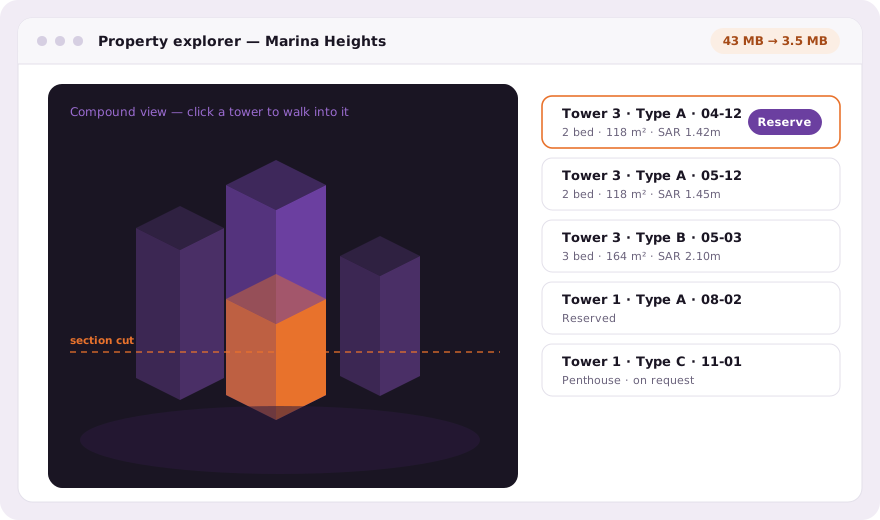
Navigation is a graph, not a tree
A visitor clicks a building to walk into it, then a unit type, then a specific apartment. Because the links between scenes are a graph rather than a hierarchy, one "Type A" scene serves six towers instead of being copied per tower, and arriving from Tower 3 narrows the unit list to Tower 3. A single-apartment client is the same code path with no links at all.
- Camera stops saved by orbiting to the shot and pressing a button
- A live section cut, for showing a floor plan inside the massing
- Unit list with price, floor, orientation and availability
- A model too heavy to open is rejected with its own numbers, not left to fail
- Models stored by content hash, so six towers sharing one file upload it once
Reserve is your registration form
The reserve button is not a new flow. Binding a project to an event provisions a hidden unit field on the registration form, the button opens that form with the unit already chosen, and the visitor registers normally and gets the usual QR code. Your sales team sees the unit code in the attendee list and the export, not an internal identifier.
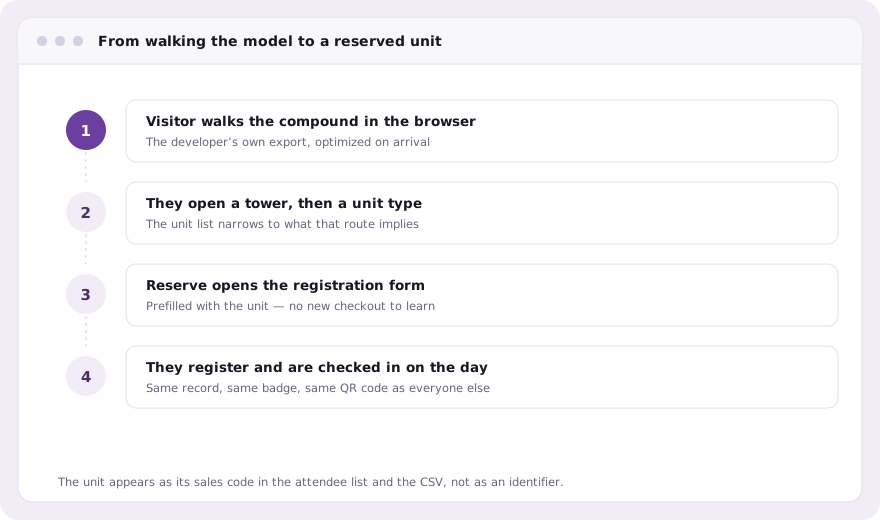
The rest of the launch still needs running
A property launch is also a guest list of brokers, an invitation campaign over WhatsApp, a check-in desk on a Thursday evening, a badge with the visitor’s broker firm on it and a report on Monday about which units drew the attention. All of that is the same platform.
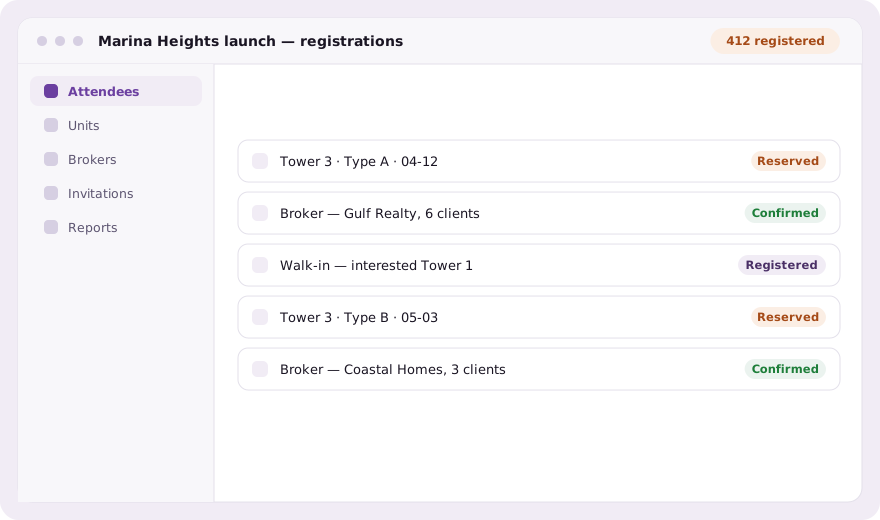
Common questions
What 3D file formats does the property explorer accept?
GLB and glTF, including Revit exports converted to them. Files are optimized in the browser, and a model too heavy to open is rejected with its own numbers rather than failing silently.
How does a visitor reserve a specific apartment?
The reserve button opens your normal registration form with the unit already selected. They register as any attendee would, and your team sees the unit code in the list and the export.
Can one 3D model serve several towers?
Yes. Scene links are a graph rather than a hierarchy, so one unit-type scene can be reached from many towers and the unit list narrows to the route the visitor took.
Book a demo Thirty minutes, screen shared, in Arabic or English.