The floor plan is the document everyone works from and nobody trusts. There is a PDF from the venue, a version with booth numbers written on it, a spreadsheet of who is where, and a picture of the whole thing on the event website that stopped being accurate in January.
evenclo has one floor plan. You draw it, you assign to it, and the visitor-facing version is the same object rather than an export of it.
A grid at real dimensions
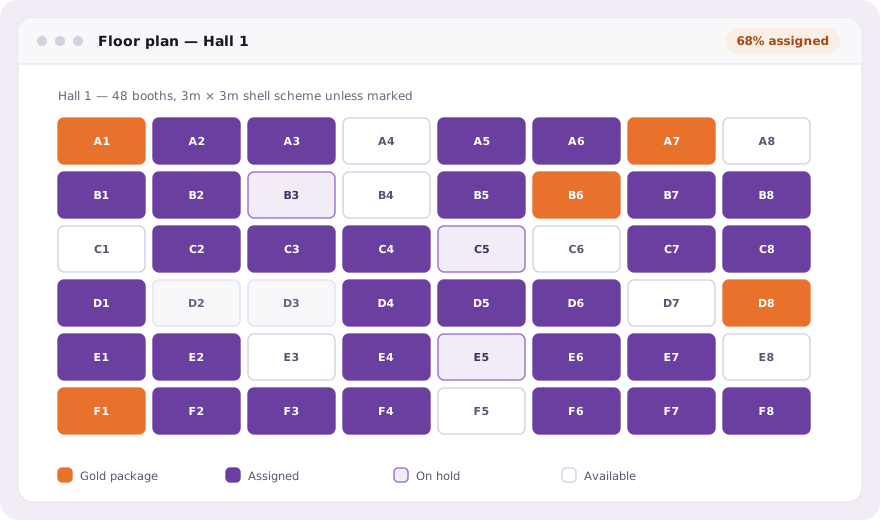
Set the halls and the aisles and generate the booth grid at the dimensions the venue actually gave you. Booths are objects with numbers and sizes, not rectangles drawn on an image, which is what makes everything after this step possible.
Assignment is dragging, not bookkeeping
Drag a company onto a booth. The colour follows their package, so a hall reads at a glance, where the gold booths are, whether the corner positions went to the sponsors who paid for corner positions, and which aisle is still empty three weeks out.
Visitors see the plan you are working from
The same plan is published on the event site. A visitor can find a company, see where the stand is and plan a route, and it is accurate because it is not a copy. There is no export step to forget the week the last three booths were sold.
The things a drawing cannot do
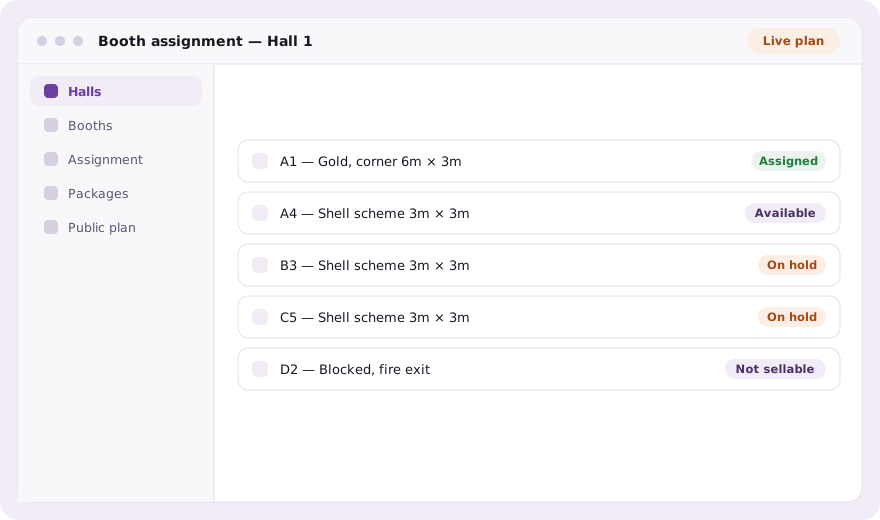
- Booths held for a company still deciding, visible as held rather than sold
- Positions blocked for fire exits and services, marked unsellable
- Package colour as the legend, so the commercial picture is the visual one
- Booth number printed on exhibitor staff badges
- The stand a lead was captured at, recorded against the lead
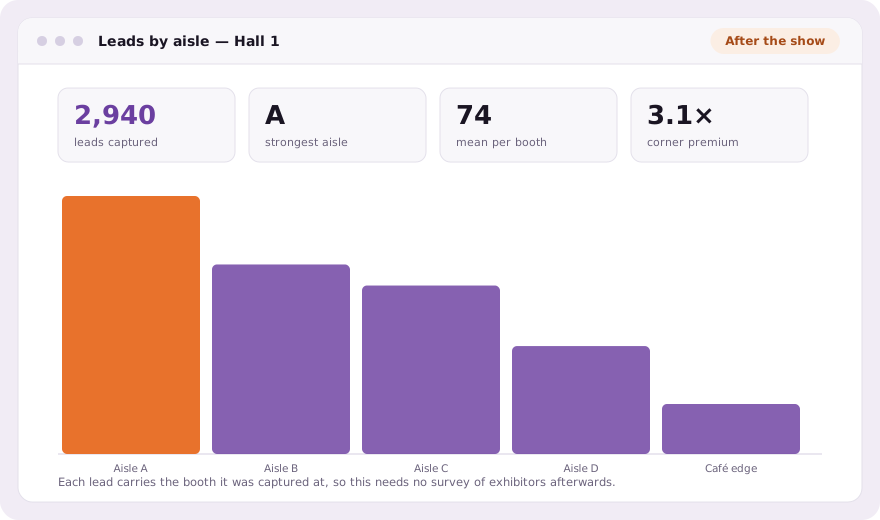
That last one is what makes the plan worth drawing properly. A lead captured at a booth knows which booth, so the report at the end of the event can tell an exhibitor how their position performed, and can tell you which aisles are worth more next year.
What the plan is worth in January
A floor plan that records where every company stood and how many conversations each position produced is the document you price next year’s show from. Corner booths in the main aisle can be shown to be worth what you charge for them, or shown not to be, and the argument with a sponsor stops being a matter of opinion.
Common questions
Can visitors see the exhibition floor plan?
Yes. The plan published on the event site is the same object your team assigns against, so it cannot fall out of date the way an exported image does.
How are booths assigned to exhibitors?
By dragging a company onto a booth. The booth takes the company’s package colour, and the package decides their entitlements.
Can I hold a booth without selling it?
Yes. Booths can be held or blocked: held reads differently from sold on the plan, and blocked positions are not sellable at all.
Book a demo Thirty minutes, screen shared, in Arabic or English.