Check-in is the part of an event platform designed last and tested least, and it is the only part every attendee touches. It is also the part that runs in the worst conditions the product will ever see: a metal hall, two thousand phones on one access point, and a queue of people who have already been standing for ten minutes.
evenclo assumes the network will fail. Offline is the default assumption, not a recovery mode.
A scan, on a phone you already have
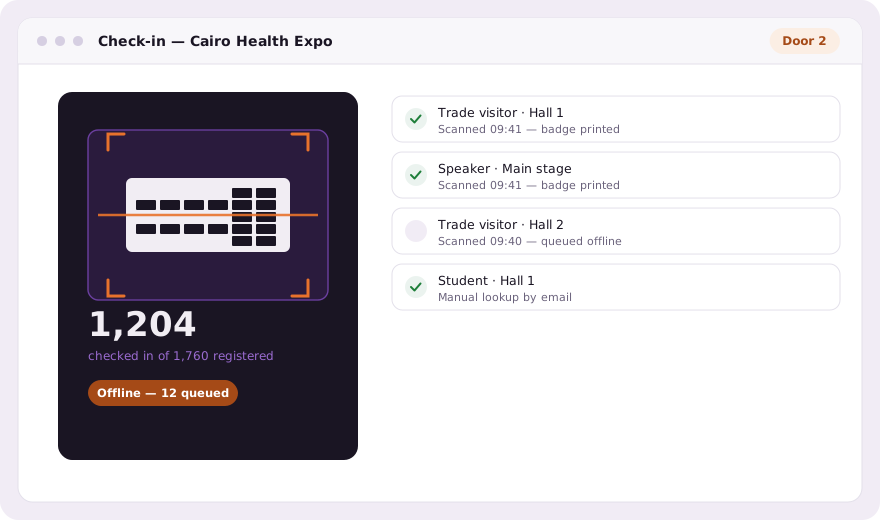
The scanner runs in the browser on any phone or tablet: no app install for a volunteer who arrives an hour before doors. Point the camera at the QR code and it reads and checks the person in. The scanner keeps running, so the next person steps straight up, and an immediate rescan of the same code does not double-count.
The queue lives on the device
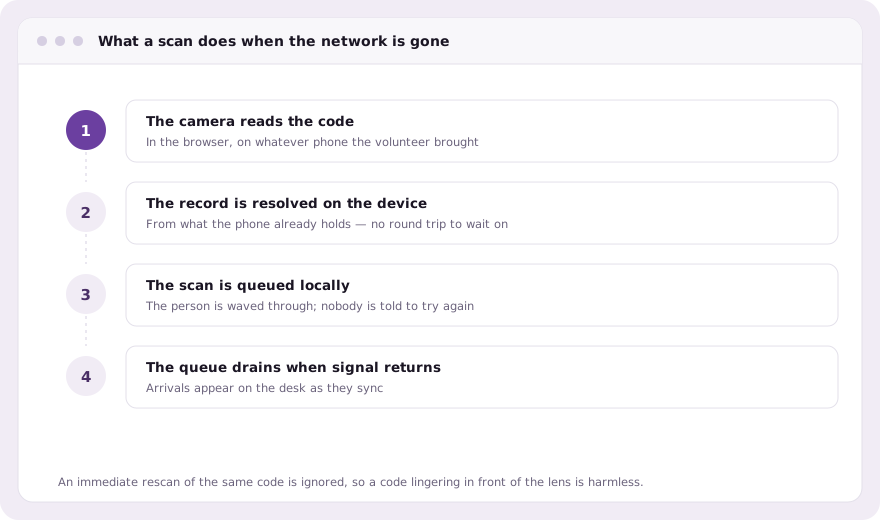
When the connection goes, the scanner does not stop and it does not show an error to the person in front of it. Each scan is held on the phone and sent when the signal returns. Nobody stands still waiting for a network, and the desk sees the arrivals appear as the queue drains.
QR check-in, check-out, and knowing who is inside
A direction toggle sets what a scan does. Left on IN almost always; switched to OUT for a venue that needs to count who is currently in the building. It is the one control everyone on the desk has to be told about, because a lane accidentally left on OUT checks arriving guests straight back out again and the numbers look wrong before anyone notices.
When the code will not scan
- Manual lookup by name, email or phone, on the same screen
- Check someone in who never registered, creating the record as you go
- Cracked screens and heavy protectors: search instead of fighting the camera
- Five roles, so a door volunteer sees the door and nothing else
- An audit trail of who checked in whom, and when
Attendance per session, not per event
A conference wants to know who was in the room, not who came to the building. Attendance is recorded per session as well as per event, which is what makes the programme report worth reading, and what lets a certificate be gated honestly on the sessions somebody actually sat through.
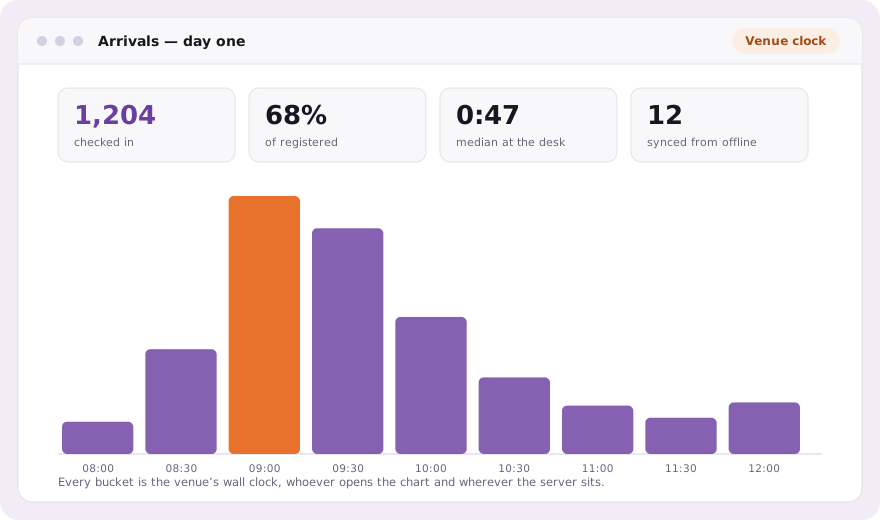
Everything the door records lands on the same attendee record that registration created. There is no reconciliation step at the end of the day, because there were never two lists.
Common questions
Does QR code check-in work without internet?
Yes. Scans are held in a queue on the device and sync when the signal returns. The scanner never stops or shows an error to the person at the desk.
Do I need to install an app to check people in?
No. The scanner runs in the browser on any phone or tablet, which matters for volunteers who arrive an hour before doors. An organizer app also exists.
Can evenclo record attendance per session?
Yes. Attendance is recorded per session as well as per event, which is what the programme report and attendance-gated certificates are built on.
Book a demo Thirty minutes, screen shared, in Arabic or English.