Exhibitor operations is the part of an event that quietly consumes a whole person. Forty companies, each with a booth, a package, a set of entitlements, staff passes to allocate, artwork to send, furniture to order and a deadline they will miss. Run on email, it becomes one inbox nobody else can read.
evenclo makes the exhibitor a party in their own right, with their own portal, and moves the chasing from your inbox to a list that shows you who is late.
Applications, then approval
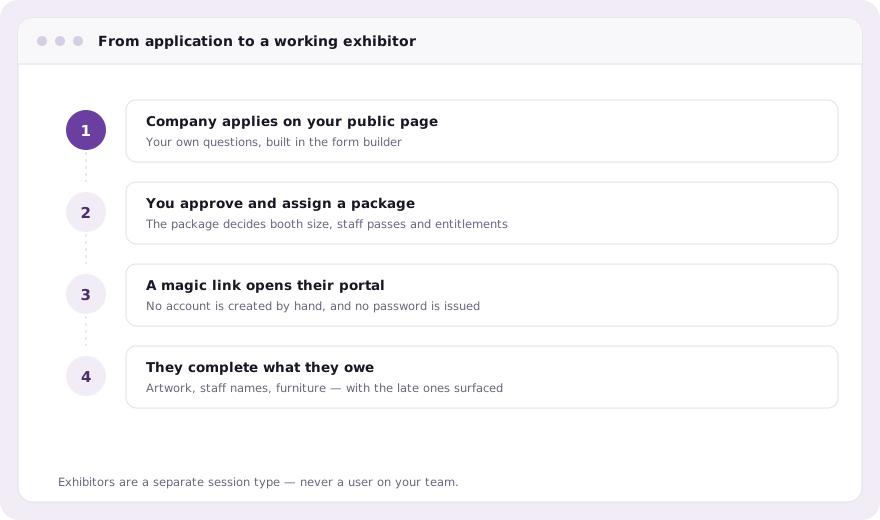
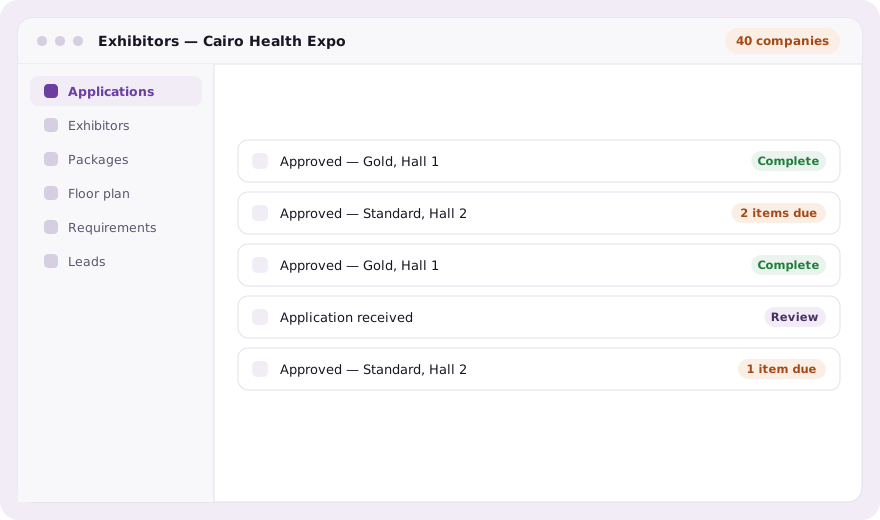
The application is a form you build in the same form builder as everything else: a mode switch, not a separate editor bolted onto the exhibitor page. Applications land in a queue, you approve or decline, and an approved company becomes an exhibitor record with a package attached.
Packages decide entitlements
A package is where the commercial deal becomes an operational fact. Gold gets a corner booth, eight staff passes and a speaking slot; standard gets a shell scheme and four passes. The entitlements follow from the package, so nobody works out from a contract how many badges a company is owed.
The portal does the chasing
Each exhibitor sees only what they still owe, in their own portal, opened from a magic link rather than an account somebody created for them. That single decision removes the entire category of work where a company cannot log in on the morning of build-up because the password went to somebody who left.
- Requirement collection with per-item deadlines
- Staff passes allocated from the package, registered as normal attendees
- Artwork and document upload against the company, not an email thread
- Arabic or English portal, following the exhibitor’s own language
- A mobile sign-in for booth staff on the day
The chasing becomes a list
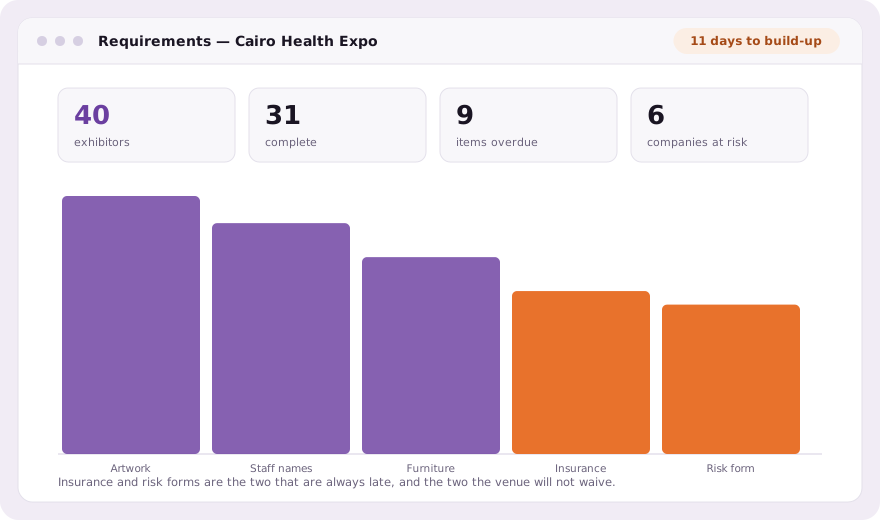
Every requirement has a deadline and an owner, so the question that used to take an afternoon of scrolling through email, who has not sent artwork, who has not named their staff, who has not paid the second instalment: is a filter. The companies in trouble surface without anybody having to go looking for them.
That matters most in the final fortnight, when the number of outstanding items stops being an administrative detail and starts deciding whether a hall can open on time. Knowing on the Monday which six companies are at risk is a different job from discovering it during build-up.
It connects to the floor and the leads
An approved exhibitor can be dragged onto a booth on the floor plan, and their booth colour follows their package. On the day, their staff scan attendee badges at the stand for lead capture and lead scoring, and the card opens already carrying the answers that attendee gave you at registration.
Common questions
How do exhibitors sign in to their portal?
By magic link. Exhibitors are a separate session type, so no account is created by hand and no password has to be issued or reset.
Can I build my own exhibitor application questions?
Yes, in the same form builder as the registration form: exhibitor application is one of its modes, not a separate editor.
How are staff passes allocated?
From the package. Entitlements follow the package a company was approved onto, and staff passes are registered as normal attendees with badges.
Book a demo Thirty minutes, screen shared, in Arabic or English.