The most persuasive line in an event’s marketing is not on the event’s own page. It is a colleague writing that they are going. Organisers know this and ask for it, usually as a paragraph at the bottom of the confirmation email asking people to share, with a hashtag nobody remembers and an image they would have to download and crop first.
Almost nobody does it, because it is work. evenclo turns it into two taps at the moment the person is most willing: the second after they registered.
Their name and photo, on your card
You design one card for the event: a square or landscape background, where the photo sits, where the name goes and how large. When an attendee presses Share on LinkedIn or Share on X, they sign in with that platform, and the card is drawn with the name and profile photo the platform itself returned. A long name is shrunk until it fits, so nobody’s surname runs off the edge.
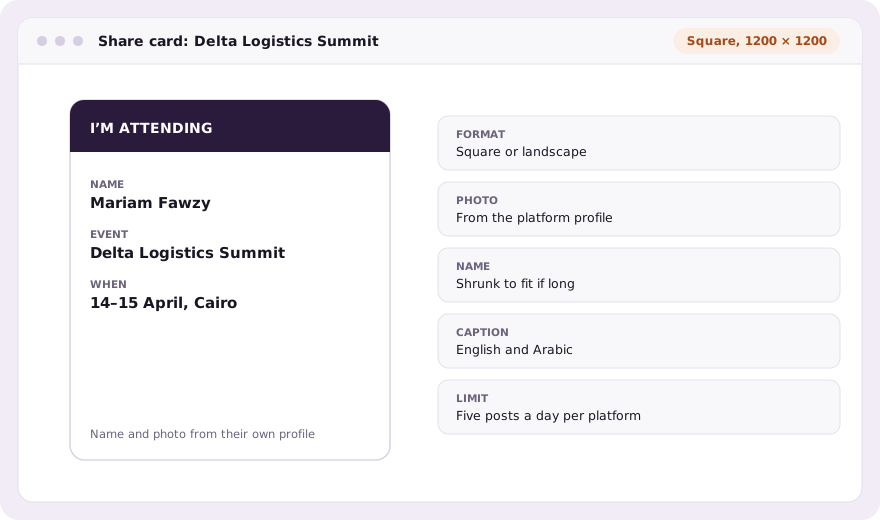
The caption is theirs
You write the default caption in English and Arabic, with tags for the event name and link. The attendee sees it before anything is posted and can change every word. A counter shows how much room is left on X, which counts links and emoji its own way, so a post never fails for being a few characters long.
- Buttons on the thank-you page, and on the page a paid registration returns to
- A share link in the confirmation email, for the people who register now and post tonight
- Only confirmed registrations are offered the buttons
- Five posts a day per attendee per platform, so the feature cannot become a spam tool
What we keep, and what we do not
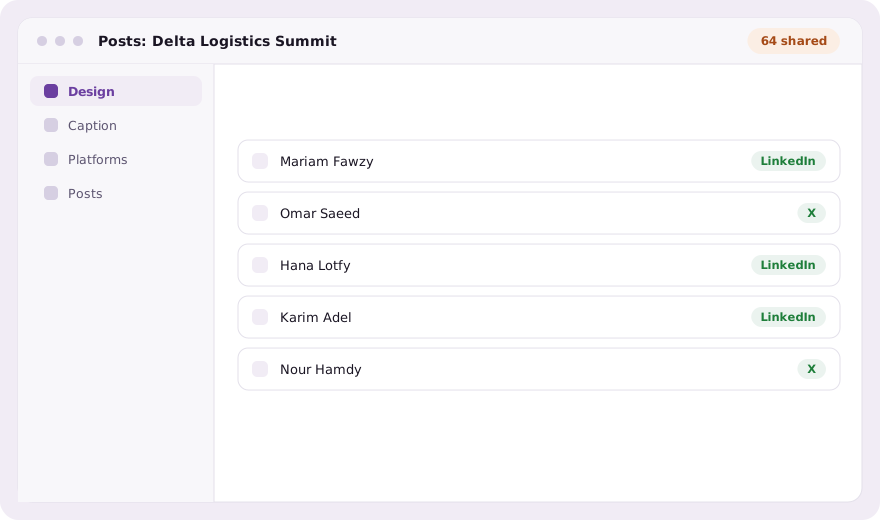
The sign-in with LinkedIn or X is used for the one post and thrown away. evenclo records that a post happened and links to it, so you can see who shared, but it never keeps anyone’s social account login. The picture is always your card, drawn by us: a stranger cannot use your event’s connection to post an image of their own choosing.
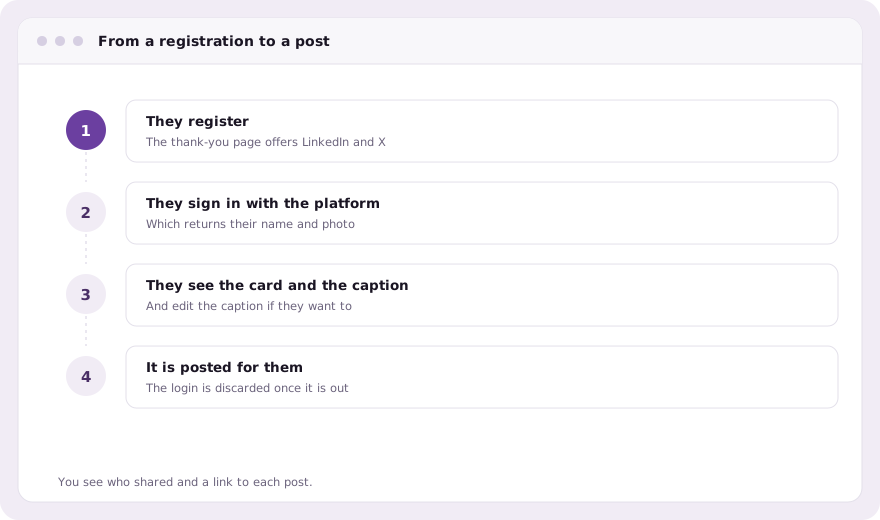
Why the timing matters
A share request a week later competes with everything else in someone’s inbox. A share button one second after they registered meets them while they are still pleased with the decision, with the card already drawn and the words already written. That moment is the whole feature, and it is why the buttons live on the thank-you page rather than in a campaign.
Common questions
Which platforms can attendees post to?
LinkedIn and X. Facebook and Instagram do not let an app post to a personal profile with a caption, so they are not offered.
Do you keep the attendee’s LinkedIn or X login?
No. It is used for the one post and discarded. evenclo only records that a post was made and its link.
Can attendees change the text before it is posted?
Yes. You write a default caption in English and Arabic, and the attendee can edit every word before posting.
Book a demo Thirty minutes, screen shared, in Arabic or English.